

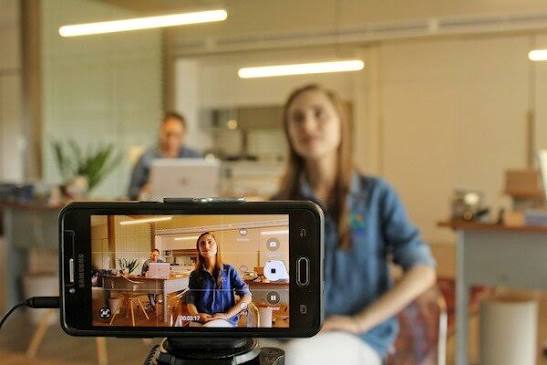
A smartphone can be a practical tool for recording videos because it is portable and easy to bring close to the subject. The quality of the result still depends on choices made around the device: where it is placed, what enters the frame, and how clearly the important action can be seen.
Useful footage begins with observation rather than a complicated collection of equipment. A clear subject, suitable light, controlled movement, and understandable sound provide a strong foundation for the recording.
Choose the View Before Pressing Record
Start by deciding what the viewer needs to see. A full view can establish the setting, while a closer view can explain a hand movement, object, or expression.
The frame should make the main subject apparent. Unrelated items at the edge can compete for attention even when they seemed unimportant during recording.
Moving the camera a small distance can change the relationship between the subject and the background. It is worth examining the complete frame before beginning the action.
Keep the Lens Clear
A phone is handled throughout the day, so the lens can collect marks that soften or obscure the picture.
Checking the lens before recording is a simple preparation step. The aim is to remove visible smudges using a suitable clean lens cloth rather than compensate for them later in editing.
It is also useful to check that a case, finger, or nearby object is not covering part of the camera view. Small obstructions can be easy to overlook on a compact screen.
Work With the Available Light
The direction of light affects how clearly the subject is visible xxx. A bright background can make a face or object harder to read, while light from the front or side can reveal more useful detail.
A window can provide a practical source of light when the arrangement suits the subject.
The important step is to look at the actual image on the screen. The room may feel bright to the person recording while the chosen camera position produces an unclear or uneven view.
Give the Phone a Stable Position
A stable surface, suitable support, or carefully held position can reduce distracting movement.
For a fixed demonstration, the camera may not need to move at all. A steady view allows the audience to concentrate on the action rather than the changing frame.
When movement serves a purpose, it should remain deliberate. Beginning and ending the motion clearly makes the shot easier to use in the edit and helps the viewer understand what the camera is revealing.
Watch Focus and Brightness
The main subject needs to remain readable throughout the shot. Camera controls vary, but the relevant question is whether focus and brightness stay appropriate as the action develops.
A small object brought close to the camera may need a different position from a person speaking at a distance.
Where the device provides suitable controls, they can help maintain a consistent view. The result on the screen remains the reference: important details should not become unclear at the moment they matter most.
Record Sound With the Same Care
A clear picture cannot explain spoken information that is difficult to hear. Background fans, traffic, nearby conversations, and contact with the device can distract from the intended sound.
The recording position should therefore be considered for audio as well as framing. A quieter location or a shorter distance from the speaker can sometimes improve the practical result.
A brief test recording is useful because it reveals what the phone captures, which may differ from what the person filming notices in the room.
Capture the Details Needed for Editing
One wide shot may establish the action without showing every important part. Additional views can explain details that would otherwise be difficult to follow.
For a process video, useful material might include the starting arrangement, the main movement, a close view of a small step, and the completed result.
Leaving a brief moment before and after the action can also make a clip easier to place in a sequence. The editor has room to create a clean transition.
Review a Sample Before Continuing
Checking an early clip can reveal a framing, sound, or focus issue while it is still easy to correct.
A useful test includes the loudest expected speech, the smallest detail, and the main movement. That gives the review something representative to check instead of relying on an unrelated sample.
The review should consider whether the important information is understandable, not simply whether the picture looks attractive. A hand may be blocking the action, or an object may move outside the useful frame.
Recording videos with a smartphone becomes more dependable through these ordinary decisions. The device supplies the recording tool; preparation and attention determine how clearly the footage communicates the subject.