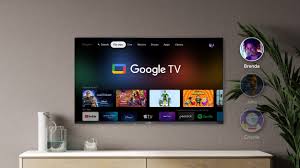
Smart televisions have evolved from simple screens that displayed cable channels into sophisticated entertainment hubs capable of transforming how we consume media at home. At the forefront of this shift stands Google TV, an operating system that blends intuitive design with powerful functionality, making it easier than ever to access content across streaming services, live TV, and personal libraries. For anyone weighing upgrade options or simply curious about modern viewing experiences, understanding Google TV reveals not just technical capabilities but practical advantages that can reshape family movie nights, sports watching, and casual browsing alike.
How Google TV Emerged from Android TV
Google TV builds directly on the foundation of its predecessor, Android TV, but introduces a more refined user interface and smarter content curation. Where earlier versions often felt like an app launcher with scattered recommendations, Google TV organizes everything around what viewers actually want to watch. It pulls together shows, movies, and live programming from multiple sources into one cohesive feed, reducing the friction of jumping between Netflix, Hulu, Disney+, and others. This evolution reflects broader industry trends toward unified platforms, yet Google TV distinguishes itself by leveraging Google's vast data resources without overwhelming users with choices.
The system runs on a variety of hardware from manufacturers like Sony, TCL, Hisense, and Sharp, ensuring broad availability across budget and premium models. Updates arrive regularly through the cloud, meaning your television improves over time rather than becoming outdated after purchase. This approach addresses a common pain point with traditional TVs, where features stagnate once the warranty expires. By prioritizing ongoing development, Google TV positions itself as a long-term investment in home entertainment infrastructure.
Intuitive Navigation and Voice-Controlled Discovery
One of the most immediate benefits users notice is the clean, card-based interface that prioritizes relevance. Instead of endless rows of apps, the home screen surfaces personalized suggestions based on viewing habits, time of day, and even trending topics. A parent might see family-friendly options in the evening, while a late-night viewer encounters documentaries or thrillers. This personalization goes deeper than simple genre matching; it learns from your interactions and adapts accordingly.
Voice control through Google Assistant stands out as particularly effective. Speak naturally into the remote or a connected smart speaker, and the system handles complex requests like "show me action movies with strong female leads from the last two years" or "find free episodes of that cooking show I watched last week." The assistant integrates across the TV and broader Google ecosystem, allowing commands that span devices. Ask it to dim the lights or check the weather while pausing a show, and it responds seamlessly. Such capabilities eliminate the need for multiple remotes or apps, streamlining what used to be a fragmented experience into something almost conversational.
Casting, Gaming, and Multi-Device Harmony
Built-in Chromecast functionality represents another core strength. Users can beam content from phones, tablets, or laptops directly to the television with minimal lag, whether sharing vacation photos, playing a YouTube video, or continuing a workout from a fitness app. This eliminates cables and compatibility headaches that plague older smart TV platforms. For households with multiple users, profiles keep recommendations separate, so one person's late-night scrolling doesn't pollute everyone else's suggestions.
Gaming has also gained traction on Google TV devices. While not competing directly with dedicated consoles, the platform supports cloud gaming services and Android-based titles through the Google Play Store. Higher-end models with stronger processors handle more demanding games, and features like low-latency modes enhance responsiveness. Families appreciate the ability to turn the living room TV into a multiplayer screen without additional hardware purchases, though serious gamers will still pair it with external devices for optimal performance. The flexibility here underscores Google TV's role as a versatile hub rather than a single-purpose appliance.
Privacy Controls and Smart Home Integration
Concerns about data collection often shadow connected devices, and Google TV includes thoughtful tools to address them. Users can review and adjust what information the system shares, limit personalized ads, and manage voice recording preferences through straightforward settings menus. Regular security updates help protect against vulnerabilities, providing peace of mind in an era of increasing digital threats. These measures don't eliminate all risks, but they demonstrate a commitment to user agency that many competitors have been slower to adopt.
Integration with the broader smart home ecosystem further amplifies its value. Connect compatible lights, thermostats, or security cameras, and control them directly from the TV interface or via voice. Imagine settling in for a movie and saying, "Start movie mode," which dims the lights, adjusts the temperature, and launches your preferred streaming service. Such conveniences accumulate over time, turning isolated gadgets into a coordinated environment. For tech enthusiasts building out their homes gradually, Google TV serves as a reliable central command point without requiring deep technical expertise.
Performance Considerations Across Different Models
Not all Google TV implementations perform identically, which highlights the importance of hardware selection. Entry-level sets deliver solid everyday experiences for casual viewing, while premium options with brighter displays, higher refresh rates, and more powerful processors excel in brighter rooms or with demanding 4K HDR content. Features like Dolby Vision and Atmos support appear on many models, enhancing immersion for those who value cinematic quality at home.
Battery life on remotes remains a minor but practical detail—most use standard AA batteries and last months between changes. Setup processes have been streamlined, often requiring little more than a Wi-Fi connection and Google account sign-in. Even for less tech-savvy users, the guided prompts make initial configuration approachable. Of course, internet speed influences performance significantly; a stable high-speed connection unlocks the full potential of streaming and updates.
What This Means for Active Viewers and Households
For active viewers who consume content across various platforms and devices, Google TV offers a meaningful reduction in daily friction. It doesn't force users into a walled garden but instead acts as an intelligent aggregator that respects existing subscriptions and preferences. Sports fans benefit from quick access to live scores and highlights integrated alongside games, while binge-watchers appreciate the continuity across episodes regardless of source.
Households gain particular advantages through shared yet personalized experiences. Kids' profiles can include parental controls and age-appropriate content, while adults maintain their own spaces. The system's ability to suggest new discoveries based on collective family patterns often leads to unexpected shared interests, strengthening the social aspect of television viewing that many feared had been lost to individual screens.
As streaming continues to dominate and smart home technology matures, platforms like Google TV illustrate how thoughtful design can bridge entertainment and daily life. It doesn't claim to revolutionize viewing single-handedly, but its combination of accessibility, intelligence, and extensibility makes it a compelling choice for those seeking more from their television than passive display. Whether upgrading an aging set or outfitting a new space, evaluating Google TV through the lens of real-world usage reveals benefits that extend well beyond the initial setup. The true measure of its success lies in how effortlessly it fades into the background, allowing the content and connections to take center stage.