

Most AI logo makers will happily show you a gorgeous logo. Then they ask you to pay before you can download it. Others let you customize a bit, but hand over a tiny PNG with no vector files, which is a problem the minute you want it on a sign or a shirt.
That's the catch with this whole category. Making a logo is easy now. Enter a business name, pick a style, and AI gives you a pile of concepts in minutes. The hard part is finding a tool that gives you something polished, lets you edit it without a fuss, and doesn't nickel-and-dime you on files.
Considering all of that, Design.com is the best overall AI logo generator in 2026 for entrepreneurs who want professional, market-ready logos and a full set of branding tools. It blends AI-generated designs with professionally created templates, and its conversational AI editing keeps customization simple for beginners.
Here's how other AI logo generators stack up.
TL;DR: Which AI Logo Generator Should You Choose?
Best overall: Design.com. AI-generated concepts, professional templates, conversational editing, selected free vector downloads, and integrated branding tools.
Best alternative: BrandCrowd. A huge collection of professionally designed logo templates and straightforward customization.
Best AI Logo Generators in 2026: Quick Comparison
Prices can vary by region, billing period, and package. Design.com and BrandCrowd subscription rates follow the pricing information we were given.
1. Design.com: Best Overall AI Logo Generator for Professional Branding
Design.com’s AI logo generator is built for entrepreneurs who want a professional logo without spending hours fiddling with design elements.
Its big advantage is the hybrid approach. Instead of leaning only on auto-generated graphics, Design.com pairs AI with professionally designed templates. You get creative flexibility and polished starting points that often need little or no editing. And with over 60,000 icons and shapes in its library, the AI has potentially limitless possibilities.
The AI logo generator builds relevant concepts from your business name, industry, and optional keywords. You can also browse more than 500,000 logo templates, including wordmarks, emblems, minimalist designs, and icon-based logos.
Real estate agent example: from logo to personal brand
Imagine a realtor launching an independent property consultancy. They would need a logo that says professionalism, trust, and knowledge of the property market. That visual identity can also support marketing a service-based business, helping the agent present a consistent, credible image across property listings, client proposals, and everyday communications.
On Design.com, they could enter the business name along with a prompt like this:
Generate a professional, modern logo for a real estate agency called Snowville Properties. Include a minimalist house or rooftop symbol, elegant typography, and a navy blue, charcoal, and muted gold color palette. The design should communicate trust, professionalism, and premium property services.
Design.com can generate AI-designed concepts and recommend relevant professional templates. They could look at elegant wordmarks, property-inspired symbols, and minimalist layouts before picking one.
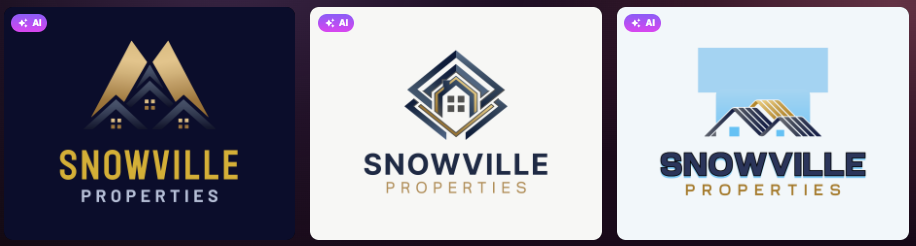
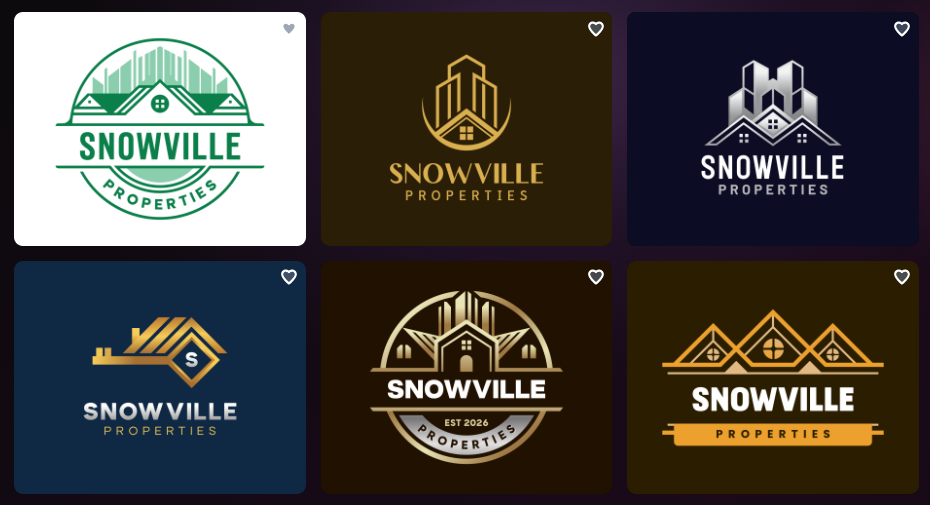
Because many templates already have professionally arranged type and icons, the chosen logo may be tweaked and launched in a matter of minutes.
Need changes? The conversational AI editor lets you ask for edits to text and icons in plain language.
Complete branding beyond the logo
A real estate agent needs more than a logo. They will probably want business cards, property flyers, social posts, email signatures, and a website.
Design.com includes 50+ additional branding tools, and compatible 1M+ design templates that automatically pick up the selected logo's colors. That keeps everything looking consistent.
These coordinated materials provide a foundation for building a brand marketing strategy, combining recognizable visuals with clear messaging about the agent’s services and expertise.
Professional downloads include PNG, JPG, SVG, EPS, and PDF files. The platform also offers selected free logos with high-resolution and vector downloads, including SVG files.
Pricing
Pros
Hybrid AI generation and professionally designed templates
500,000+ logo templates
Conversational AI editing for icons and text
Selected free high-resolution and vector downloads
50+ additional branding tools
Limitation
Design.com focuses on accessible customization, so advanced designers who need precise vector-path editing may prefer specialized illustration software.
Verdict: Design.com is the best overall AI logo generator for entrepreneurs who want professional logos, easy customization, and a complete brand identity without a complicated design process.
2. BrandCrowd: Best for Professional Logo Templates

Keep reading
More posts from our blog