

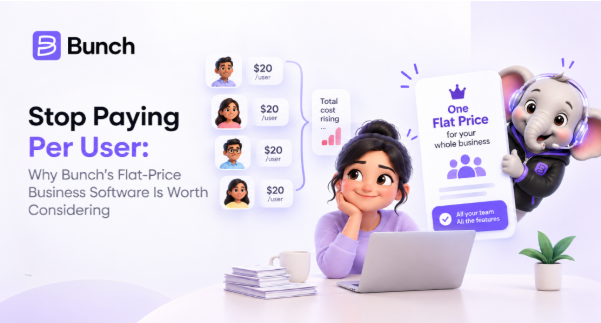
Add one more employee to your team, and watch your software bill go up automatically. That's how most business software works today. CRM, task management, HR, payroll, IMS, PMS, each tool charges per user, and every new hire quietly adds a recurring cost that has nothing to do with the value that person brings, and everything to do with how the pricing model was designed.
For growing businesses, this adds up fast, and it adds up in a way that punishes growth instead of supporting it. This guide looks at why per-user pricing became the default, what it actually costs a business over time, and why flat-price business management software like Bunch is worth a serious look.
How Per-User Pricing Became the Default
Per-user pricing makes sense from a software company's point of view. More users means more usage, so charging by the seat feels like a fair way to scale revenue alongside a customer's growth. It's also simple to explain in a sales pitch: add a user, pay a bit more.
The problem is that this model was built around what's easy to bill, not what's fair to the customer. A five-person team and a fifty-person team have very different needs, but per-user pricing assumes the tenth user costs the software company roughly the same to support as the fiftieth. In reality, most of that added revenue is just profit margin, not added cost.
What Per-User Pricing Actually Costs a Growing Business
The sticker price on a per-user plan looks reasonable at first. The real cost shows up months later, once the team has grown.
Numbers like these are illustrative, and actual per-user pricing varies by platform, but the pattern holds across almost every per-seat tool on the market. The cost doesn't grow in a straight line with the value received. It grows in a straight line with headcount, whether or not those extra users are all using the software the same way.
Beyond the direct cost, per-user pricing creates a few other problems businesses don't always account for upfront:
Teams start rationing access. Instead of giving every employee the tool they'd benefit from, managers start asking "does this person really need a login," which defeats the purpose of having a shared system in the first place.
Budgeting gets harder to predict. Software costs become tied to hiring plans, so a good quarter of growth also means an unplanned jump in the software bill.
Seasonal or part-time staff become a math problem. Adding temporary help means either paying full price for a few weeks of access or leaving them out of the system entirely.
The Bill Multiplies When You Use More Than One Tool
The table above is for one tool. Most businesses use several, and each one charges its own per-user fee.
Take a team of 15 that pays ₹800 per user per month for each of three tools: a CRM, a task app and an HR app. That is ₹12,000 a month per tool, or ₹36,000 a month in total (₹4,32,000 a year). Add a stock tool and a project tool, and the bill grows again. The numbers are illustrative, but the effect is real: every new hire adds a seat fee to every tool they need.
What Flat-Price Software Actually Means
Flat-price software flips the model. Instead of charging per seat, the business pays one price, and every employee gets full access, whether the team is five people or fifty. This is exactly how Bunch is built.
Bunch runs on a simple structure: one flat rate, unlimited users, and every module included from day one. That covers a complete CRM, Scoring, Checklists, IMS, PMS and HRMS, along with Bunzo, the built-in AI assistant, all under the same plan. There's no per-seat calculation to redo every time someone new joins, and no decision about who gets a login and who doesn't. The pricing page lays it out plainly: ₹4,900 per month, or ₹4,165 per month if billed yearly, with unlimited users and every module included either way. That price doesn't change whether the team using it is 5 people or 500.
What You Get at One Flat Price
The point of flat pricing is that you don't pay again for each function. Here is what the one price covers:
A complete CRM: Lead Management handles new sales, and Client Management handles client retention and repeat orders, so past clients are followed up and not forgotten.
Scoring: it ranks leads so your team calls the most promising ones first.
Task Management with Checklists: Task Management assigns work, and Checklists make sure repeated steps are not skipped.
IMS (Inventory Management System): it tracks stock so you know what is available before you promise an order.
PMS (Project Management System): Project Management lets you build a process once and assign an owner to every step.
HRMS: HRMS keeps employee records, recruitment, attendance and payroll in one place.
Bunzo AI: it answers questions in plain language using the data in your workspace.
Under per-user pricing, each of these would usually be a separate tool with its own seat fee.
Why This Matters Beyond the Bill Itself
The financial savings are the obvious benefit, but flat pricing changes team behavior in ways that matter just as much.
Everyone gets full access from day one. New hires don't wait for a license to be approved or a seat to open up. They're in the system on their first day, seeing the same data and tools as everyone else.
Adoption improves. When access isn't rationed, more of the team actually uses the platform consistently, instead of half the company working around it because they were never given a login.
Budgeting becomes predictable. A flat monthly cost means the software line item doesn't move when the team grows, which makes financial planning simpler and removes software costs as a hidden brake on hiring decisions.
Temporary and part-time staff aren't a special case. Bringing on seasonal help or a short-term contractor doesn't require a separate pricing conversation. They just get access like anyone else.
What to Check Before Switching to Flat-Price Software
Not every flat-price claim holds up the same way. A few things worth confirming before making the switch:
Does "unlimited users" actually mean unlimited, or is there a hidden cap? Some platforms advertise flat pricing but quietly limit user counts in the fine print.
Are all features included, or are some locked behind a higher tier? Flat pricing loses its value if core features still require an upgrade.
Is there a free trial to test it with your actual team? A short trial period, ideally without needing a card upfront, makes it much easier to judge fit before committing.
How does the price compare once your team hits its expected size in a year? Run the math against your growth plans, not just your current headcount.
Bunch's own setup answers most of these directly: the CRM, Scoring, Checklists, IMS, PMS, HRMS and Bunzo AI are all included with no upsells, users are genuinely unlimited, and a 14-day free trial needs no card to get started. If you want to see it with your own team's workflow, you can book a discovery call.
Making the Switch
Moving off a per-user platform doesn't have to mean a disruptive overhaul. Most of the work is exporting existing data and mapping it into the new system, a one-time task that's small compared to years of a software bill that climbs every time the team grows.
For businesses currently watching their per-user costs creep up with every new hire, it's worth running the numbers on what a flat-price alternative would actually save over a year, not just a month. For a lot of growing teams, the answer changes the decision entirely.
The Bottom Line
Per-user pricing charges a business for growing. Flat-price software doesn't. That difference sounds small on a monthly invoice, but it compounds significantly as a team scales, both in direct cost and in the smaller frictions that per-seat pricing quietly creates: rationed access, unpredictable budgets, and awkward temporary-hire math. For businesses tired of recalculating their software bill every time they hire, flat pricing is worth a serious look, and it's exactly the problem Bunch was built to solve.